What Trikker does and how you work
What Trikker does
Trikker draws the Wire Schema and the Floor plan of an electrical installation. Together with the list of circuits and the Bill of materials, that becomes one inspection-ready file: exactly what an approved inspection body wants to see during an inspection.
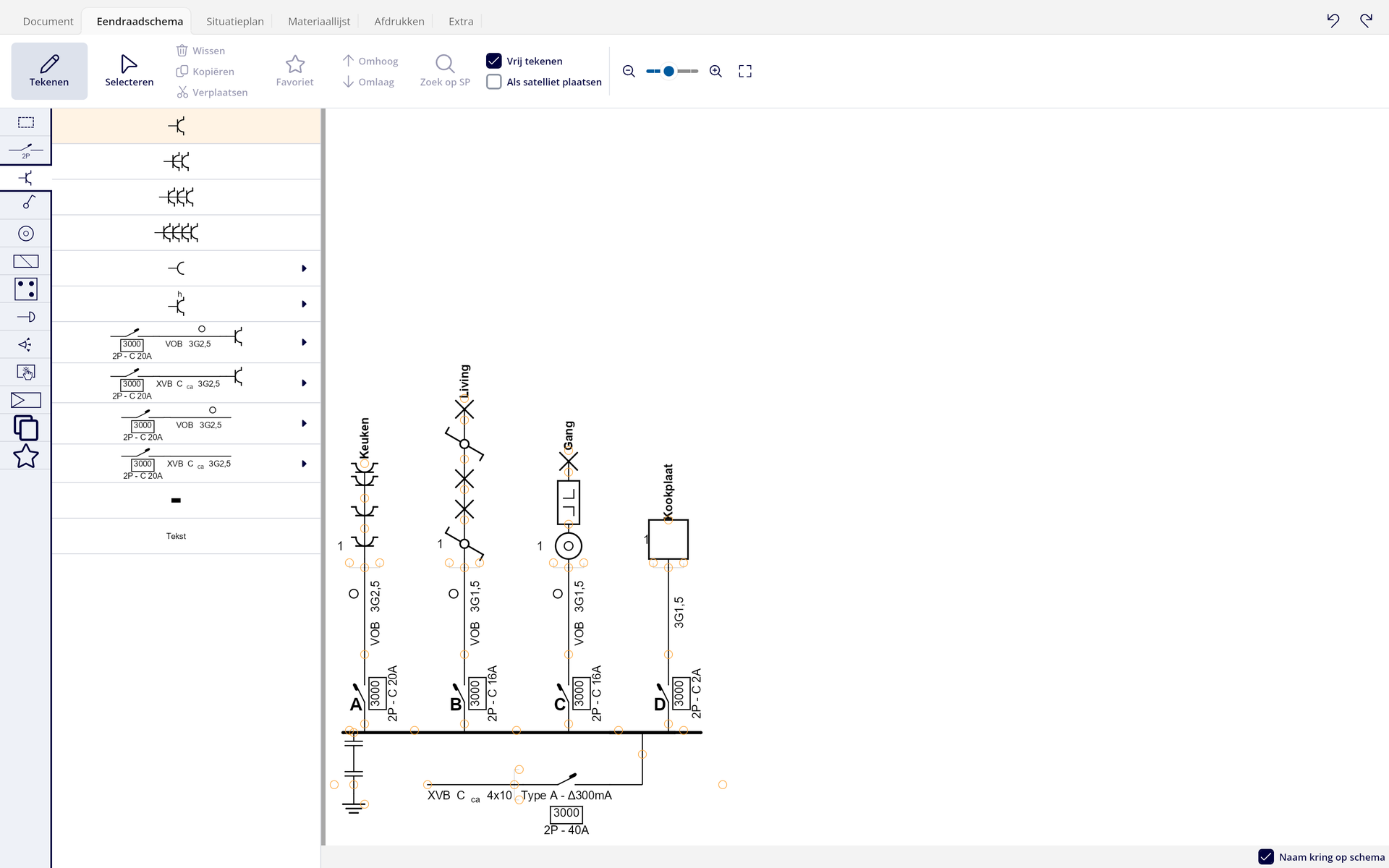
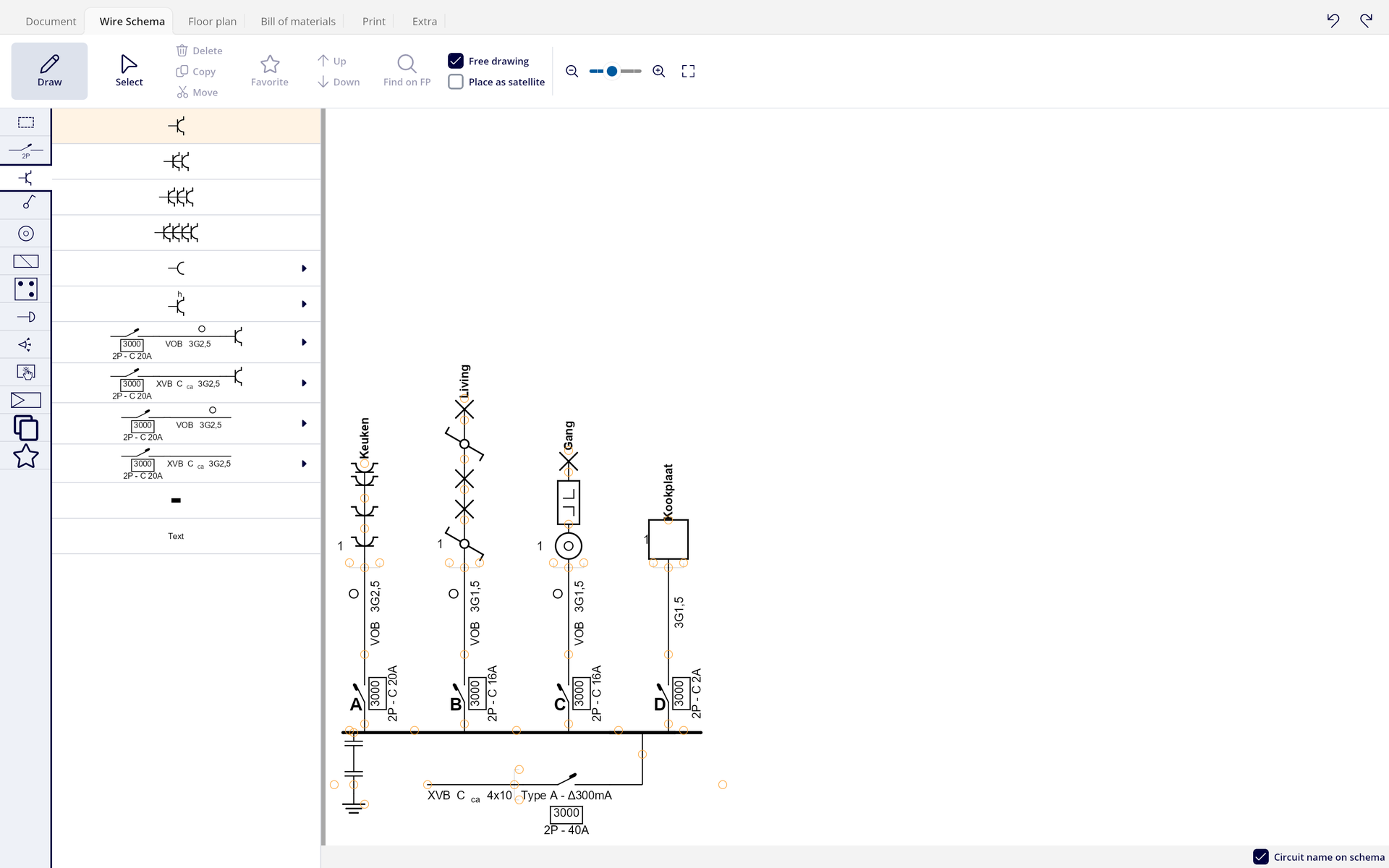
The big difference with an ordinary drawing program is the way you work. On the Wire Schema you do not place lines or drag symbols around. You pick a symbol in the library and click the connection point where it belongs. Trikker then calculates the whole layout itself, draws the connections and gives each circuit its letter.
This happens again with every change. If you add a socket halfway or delete a circuit, there is nothing to update: the schema is always correct. That saves you the shifting work you would do in a drawing program, and it keeps your schemas consistent with each other.
The five-step way of working
- Start with the Wire Schema. Pick symbols in the library and click them onto an add point.
- Draw the layout on the Floor plan, or import an existing building plan from AutoCAD or PDF as a background.
- Place the symbols you used on the schema onto the plan with one click. They stay linked to their counterpart.
- Fill in the file details on the Document tab: customer, site of the installation, installer and inspection body.
- Print the file on the Print tab, or turn it into a PDF.


You can also work the other way round. In the settings, switch on Allow loose symbols to be added on the floor plan, place symbols on the plan first, and add them to the Wire Schema afterwards.
Four ways of working, depending on the job
Not every file needs both drawings. In Print you decide afterwards which parts are printed, so you can pick the way of working that suits the job.
- Wire schema only: an inspection of an existing installation, without a floor plan. Draw the schema and switch off the floor plan when printing.
- Floor plan only: a quote or a first site visit. You place loose symbols on the plan.
- Schema first: the classic approach for a new installation. Draw the circuits, then place their symbols on the plan.
- Plan first: recording an existing situation on site. Put loose symbols on the plan and link them to a circuit on the schema later.
Example: a terraced house, two kinds of jobs
You get two requests for the same terraced house. The first is an inspection of the existing installation: the owner wants to sell and has no floor plan. You record the circuits in the board, draw them in the Wire Schema, fill in Document and print with the floor plan switched off.
The second is a quote for a full renovation. Here you walk through the house with the customer, place loose symbols on the Floor plan where they want them, and only build the schema once the quote is accepted. Same program, different order.
What you need
- A Windows or macOS computer. Any device that runs Windows runs Trikker, and from version 2.0 Trikker also works on macOS. There are no separate hardware requirements.
- An internet connection, now and then. Drawing, saving and exporting work offline. The licence check and the creation of the PDF need a connection.
- A licence code for the full version. Without a code, Trikker works as a demo version.
Common mistake: thinking you cannot print offline because the program is broken. The PDF is created on Trikker's servers, so printing needs a connection. Plan for that when you work on a site without coverage: draw there, print later.
In short
Trikker calculates the layout itself, you pick symbols and connection points. You choose the way of working to suit the job, and you need a Windows or macOS computer, internet now and then and a licence code.
There are no comments for now.
to be the first to leave a comment.