Trikker in education
Teach your students to draw single-line diagrams with the software they will use on the job. Free for schools and training centres.
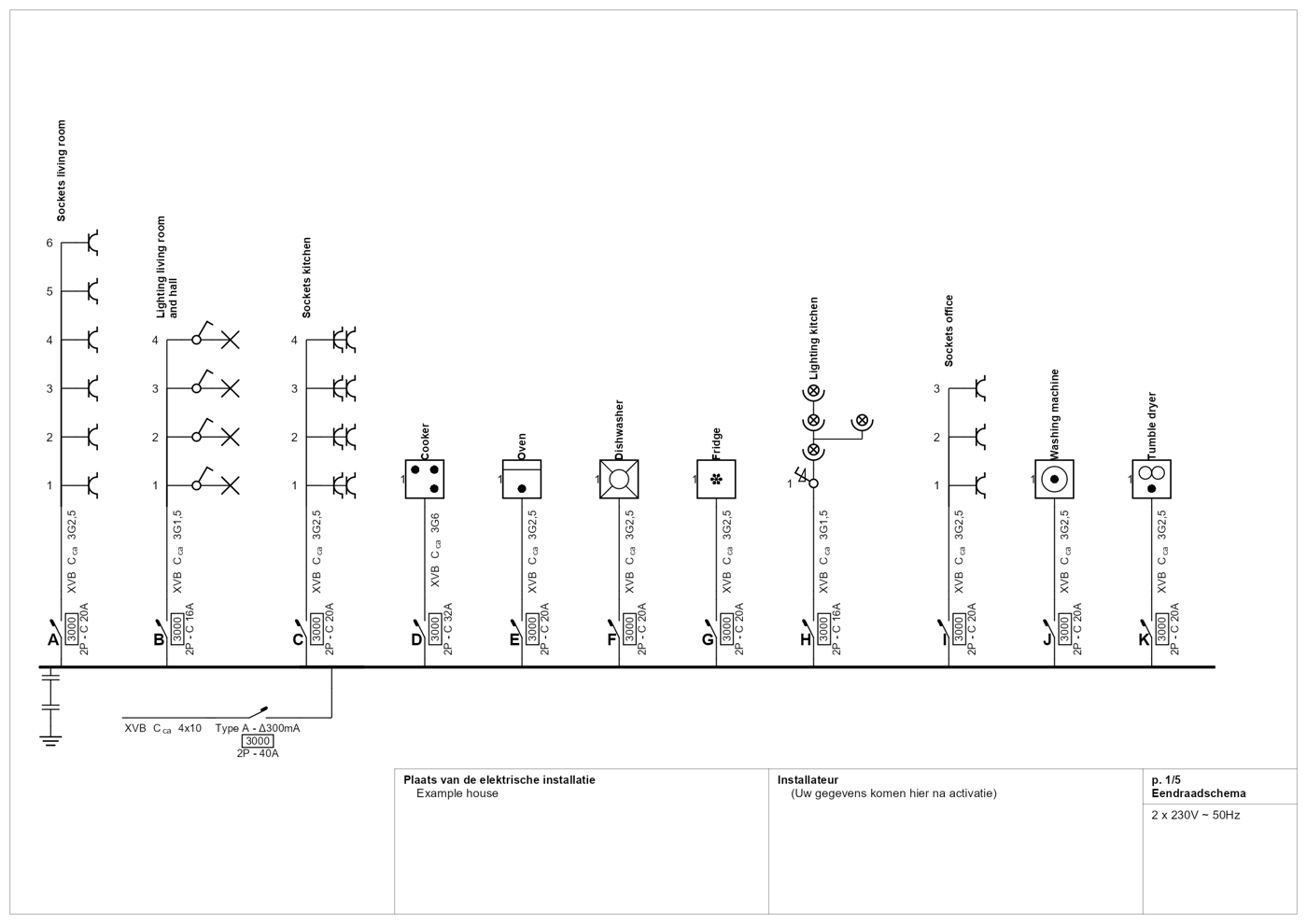
The single-line diagram of an example house, drawn in Trikker.
400+
schools and training centres work with Trikker
Free
educational licence for your school
Windows and macOS
also on the student's own laptop
Why Trikker in class

What they learn, they will really use
Students draw with the same software as the installers they will do their internship with. No separate school version.

The standard built in
Trikker draws with symbols that comply with the AREI and INCERT, so students apply the standard while they draw.

Windows and macOS
Trikker 2.0 runs on Windows and on macOS: handy when students bring their own laptop.

Free for education
The educational licence is free. You request it on behalf of your school or training centre.
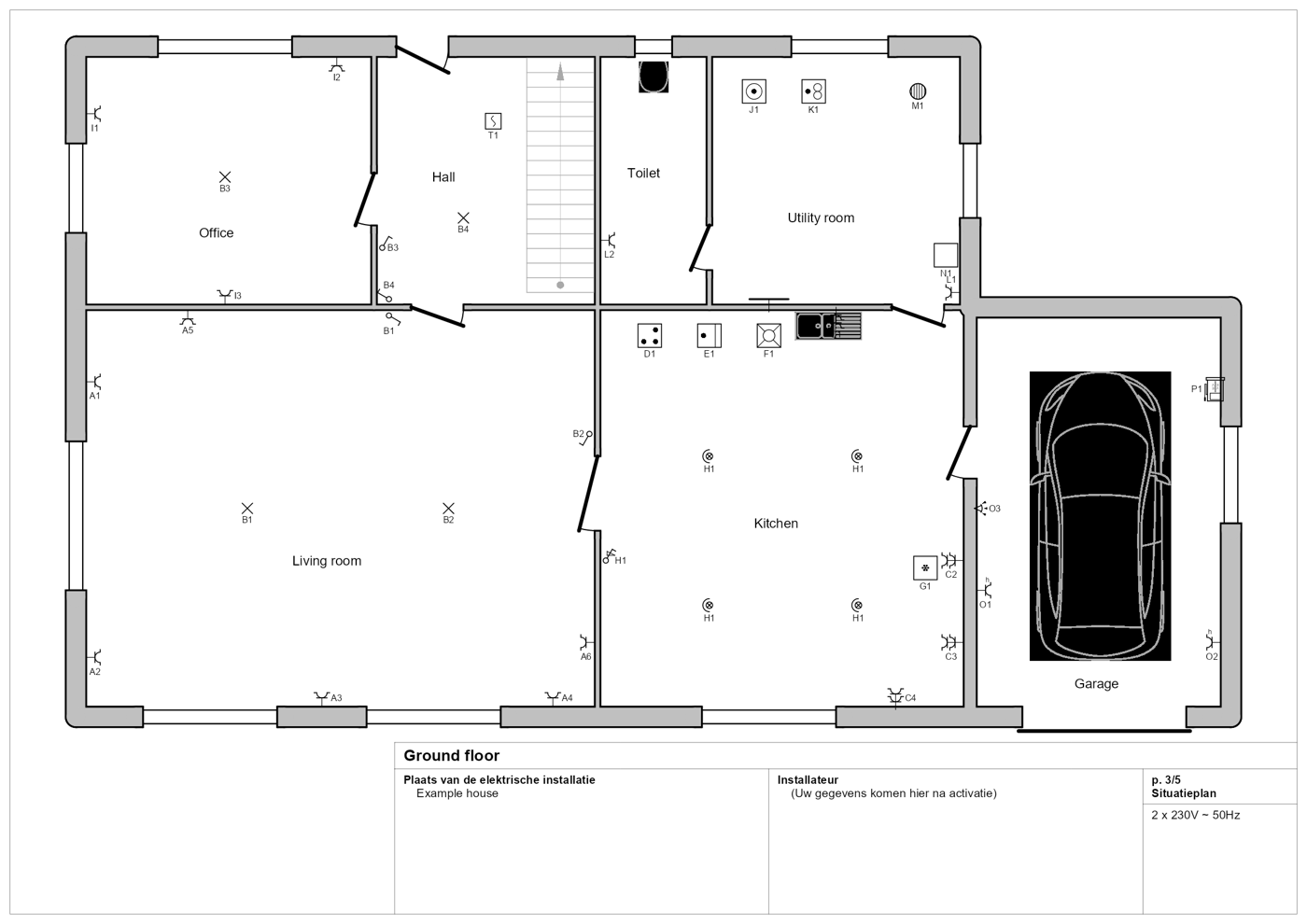
The situation plan of the same house.
A complete file, just like on the job
In Trikker, students draw the single-line diagram, the situation plan and the bill of materials of one and the same installation. What they change in one place, follows everywhere.
That is how they learn to think in terms of an installation, not in terms of loose drawings.
How it works
Request the licence
A teacher or IT manager requests the free educational licence on behalf of the school. Students do not request one themselves.
Install Trikker
On one computer, or on every device of the school at once.
Start drawing
Students draw their first single-line diagram. The manual and the frequently asked questions help them along.
Ask us
Stuck? Our helpdesk answers teachers and IT managers.
Optional: Trikker Academy
The idea behind the Trikker Academy
The Academy is an option, not an obligation. Teachers and students can use it independently of their own course: to learn more, to brush up or to earn a certificate.
Understand
Short lessons explain the rules of the AREI, with their article.
Draw
The student draws in Trikker 2.0 and uploads the diagram, which is checked against the AREI straight away.
Prove
A Trikker 2.0 certificate or the AREI knowledge certificate rounds it off.
The course AREI in dwellings is free with an account. The practice exercises and the three certificates are included with every Trikker licence, the educational licence too.
Support for the teacher
Follow your class
Want to follow your class? Send us your class list: we enrol your students in the Academy, and you get an overview per student with the certificates they earned.
Live quiz in class
A live quiz in class on the AREI or on Trikker 2.0? Students join with their phone, without an account, and someone from Trikker hosts the quiz.
We do both on request: mail us at info@trikker.be.
For the IT manager
Install Trikker on a single computer, or roll it out to every device of the school with the management tools you already use. The deployment guide describes it step by step.
Good to know
- The educational licence is free.
- You request it on behalf of a school, institute or training centre.
- Students do not request their own licence: their school does.
- Customer details cannot be filled in. Every print states that the diagram is for educational use only.
400+
schools and training centres work with Trikker
They went before you
Do you use Trikker in your lessons and would you like to share your experience? Let us know: we are happy to show here how other schools work with it.
Ready to start?
Request your free educational licence. Got a question first? Our helpdesk is happy to help.