
Do you get a single-line diagram, a floor plan or both, from another drawing package, as a scan, as a photo or hand-drawn? Stop redrawing them. The Schema reader reads them in a few minutes and turns them into a Trikker diagram: the circuits are in the single-line diagram, every symbol of the floor plan is in its place and attached to its circuit. You watch the diagram build up while Alan reads, with Trikker's own symbols. Then you open it in Trikker and finish it there.
Anyone who extends, inspects or takes over an existing installation rarely receives the diagram as a Trikker file. Usually it is a PDF from another program, a scan or a photo of a diagram from the fuse box. Redrawing every circuit, and then placing every symbol on the floor plan again, quickly costs hours you would rather spend on the installation itself. That is why we built the Schema reader: what used to cost you an afternoon is now in Trikker after a few minutes.
Ready to try it? Log in with the email address your Trikker license is registered to, or watch the demo first.
You upload diagram and plan, Alan reads them, and after a few minutes you carry on working in Trikker.
How does it work?
You upload your drawing as PDF, PNG or JPG: a single-line diagram, a floor plan or both, together in one file or separately, also across multiple pages. Alan works out by himself which page is which. Alan, the AI assistant (a language model from Anthropic) that you know from the chat on our website, reads the drawing automatically: the symbols, the circuits and the values on it. You see live where he is looking, and meanwhile the diagram builds up. Then a second agent checks the start of the diagram and every circuit one by one, and corrects what is wrong. Finally Alan reads the floor plan, floor by floor. After a few minutes you download the Trikker diagram.
Minutes instead of hours
Diagram, floor plan or both, from another package or hand-drawn: after a few minutes they are in Trikker.
The floor plan too
Every symbol in its place, linked to its circuit, per floor.
You carry on
The Trikker diagram opens straight in Trikker, ready to complete and print.
The Schema reader at work, with a fictional hand-drawn diagram.
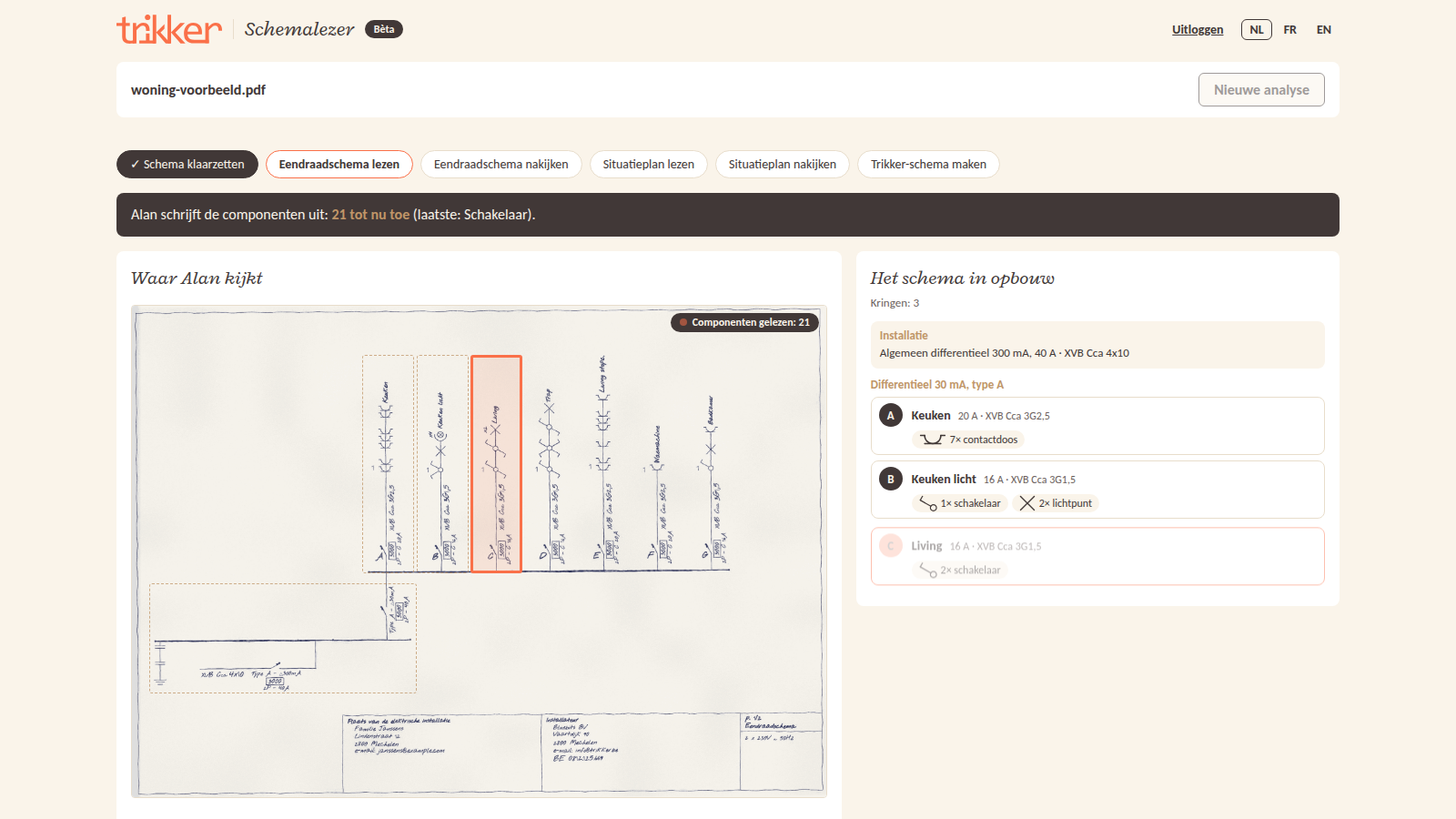
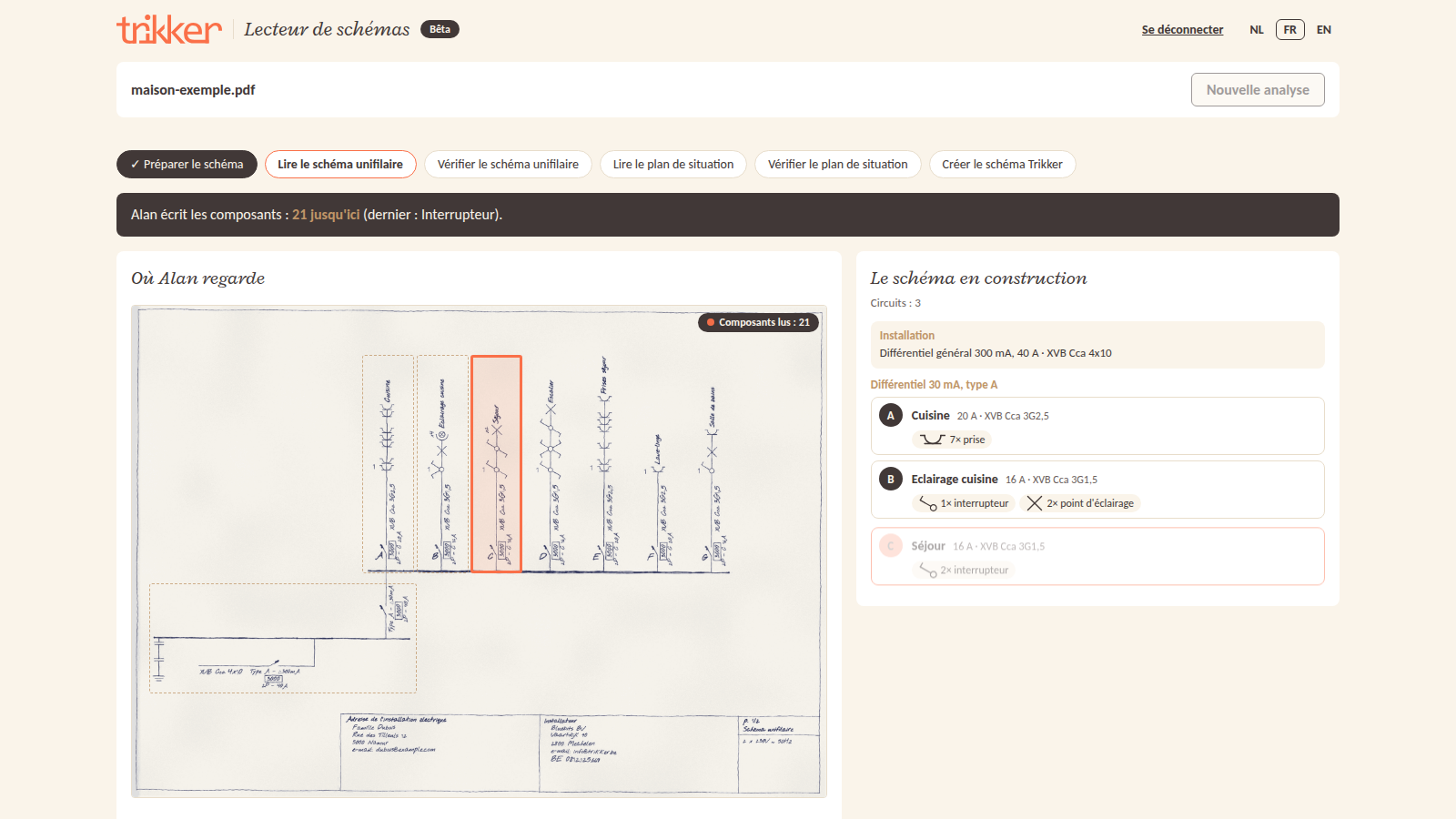
The diagram builds up while Alan reads
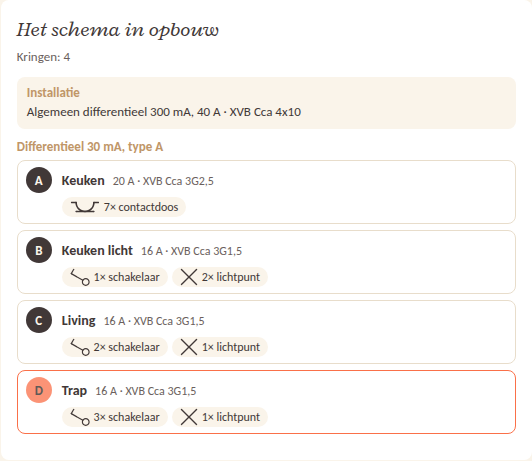
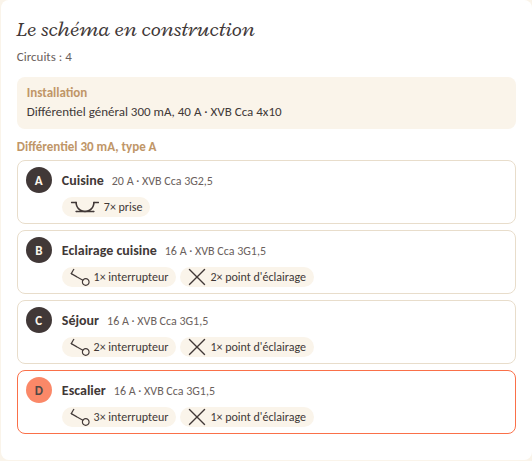
You do not have to wait to see what Alan is reading. While he reads the drawing, the diagram appears circuit by circuit: the letter, the name, the circuit breaker and the cable, and what hangs on it, drawn with the symbols you know from Trikker. The circuit he is working on lights up. That way you can see right away whether he is on the right track, even before the checking starts.
The floor plan, in place
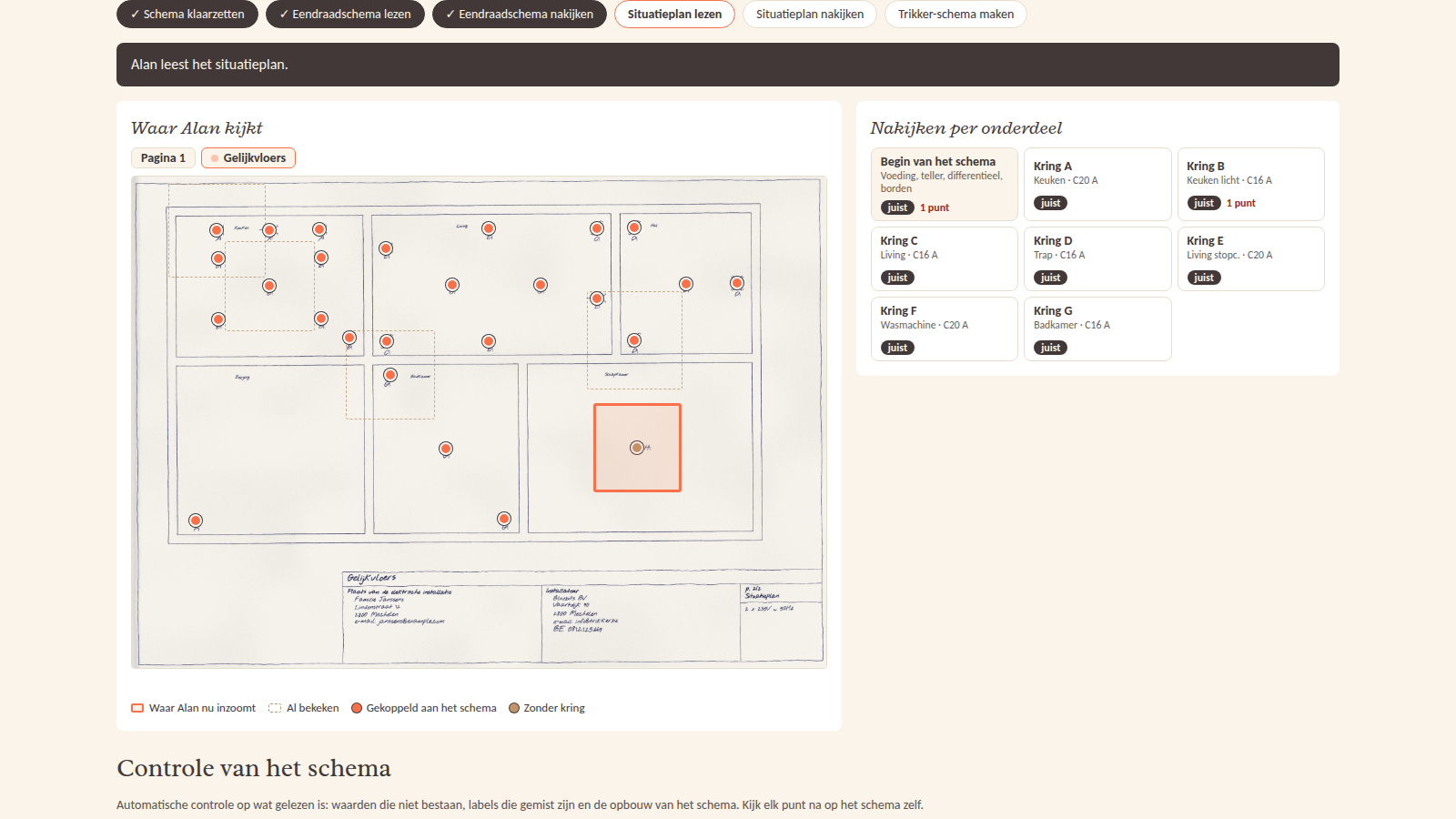
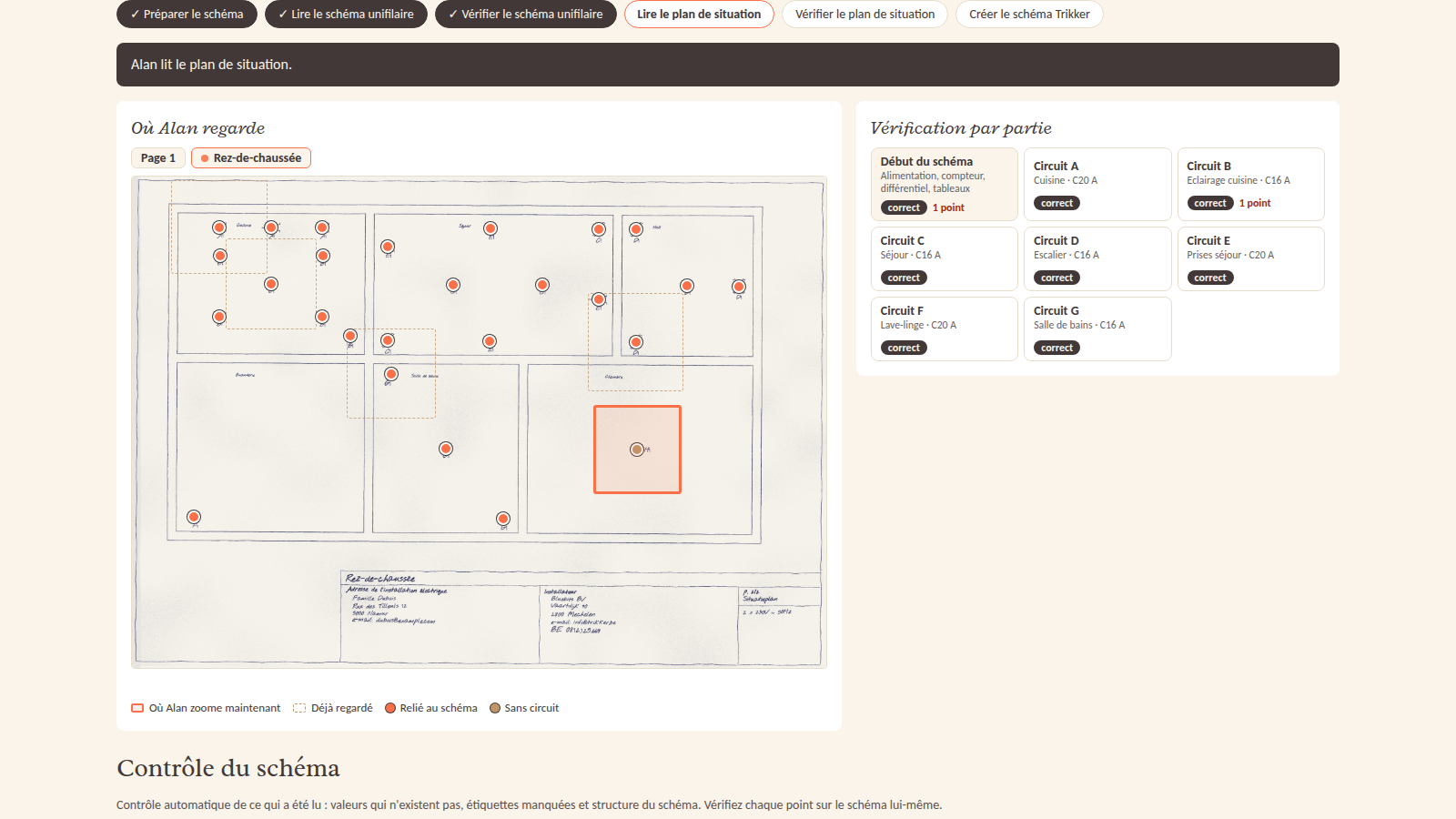
If a floor plan is included, Alan reads that too, floor by floor. Every symbol ends up in the same place and with the same orientation as on the original, and is attached to its circuit in the single-line diagram. The original plan stays underneath, without the old symbols, so the walls and rooms remain visible. What you should check is shown per floor on the result card, with the location on the plan: a label that does not match the diagram, a symbol without a circuit, two symbols overlapping or a symbol outside the plan. If the plan comes as a PDF from a drawing package, Alan reads the symbols and labels directly from the file: even faster and accurate to the millimeter. If there are no symbols on the plan yet, it comes along as a background: Alan does not guess a position, and in Trikker you place the symbols on it yourself. Do you only have a floor plan, without a single-line diagram? Then Alan makes a first single-line diagram from the labels on the plan, with its points per circuit. You then add the circuit breakers and the cables yourself in Trikker.
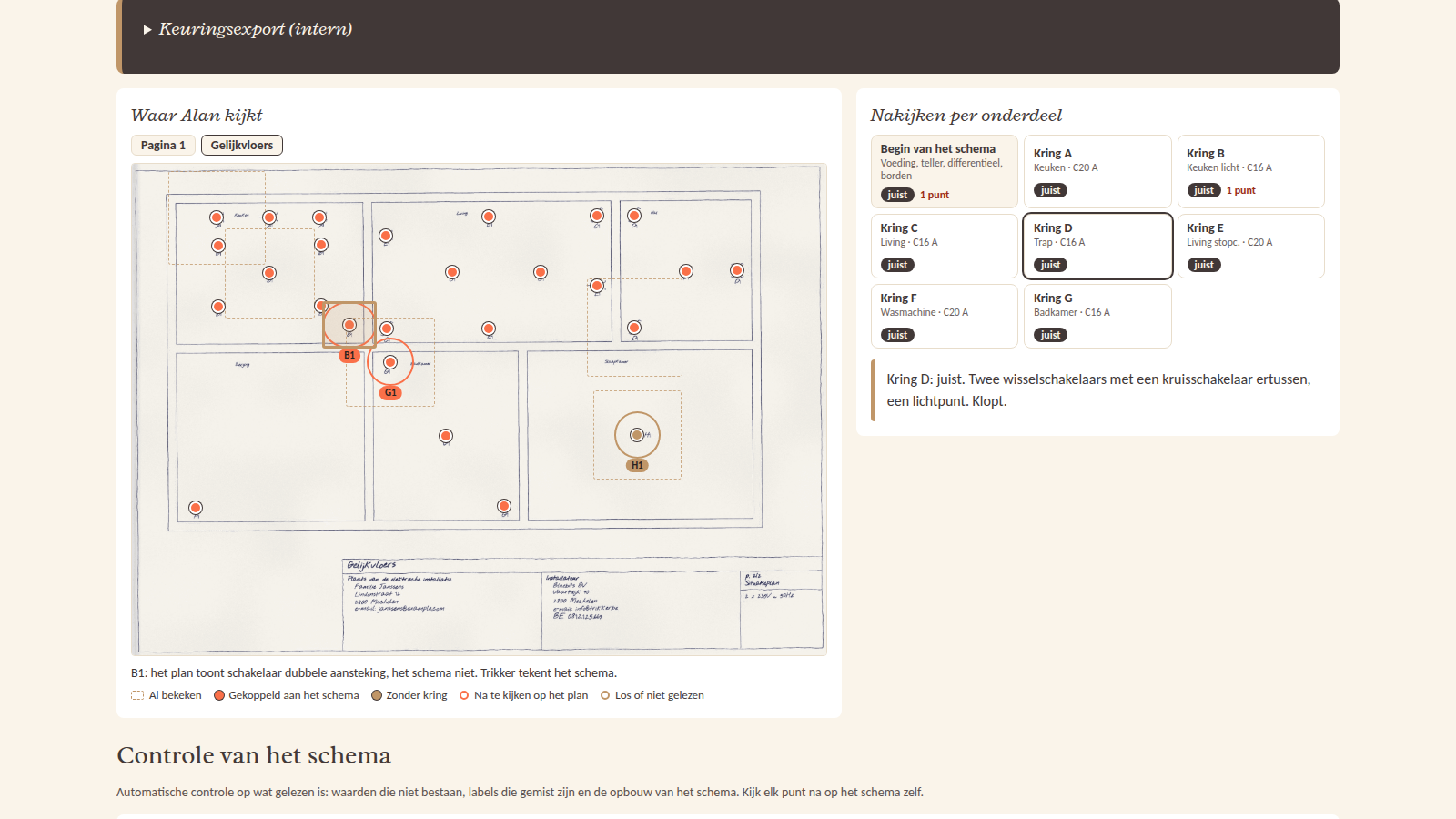
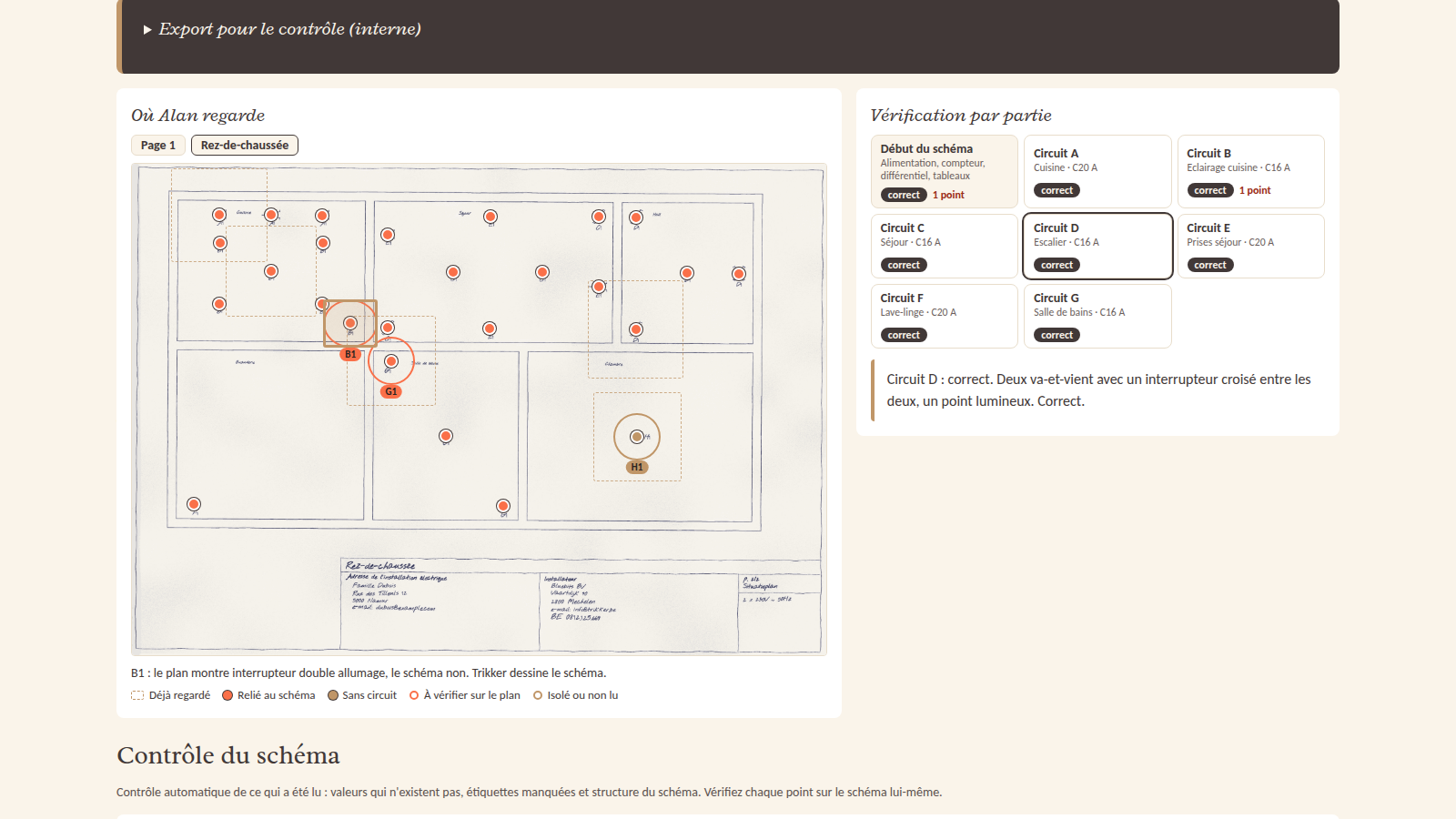
What Alan reads
Alan recognizes the symbols you come across in every single-line diagram: socket outlets (also two or three in one symbol), ordinary, two-way and intermediate switches, double switches, lighting points, spots and relays. For each circuit he reads the letter, the name, the circuit breaker and the cable. If there are several single-line diagrams on one plan, he reads them all. He also reads a hand-drawn diagram or plan accurately, as a scan or as a photo: the circuit letters, the labels and the symbols. The second agent then checks every circuit once more.
Every circuit checked
Reading is one thing, checking is another. After the first reading, a second agent therefore goes through every circuit, zooms in on the switches and the groups of socket outlets and compares with the drawing. For each circuit you see whether it was right or what was changed. A check of the reading itself follows, for example a circuit letter that occurs twice or a cable label on the drawing that was not read.
By default, the Schema reader also checks the diagram it has read against the AREI, in a separate block, independent of the reading: even a diagram that is not compliant can simply be read in. For example, it reports a circuit with a cross-section that is too small, a heavy appliance without its own circuit or a bathroom without a 30 mA residual current device. If you only want the reading, untick the AREI check.
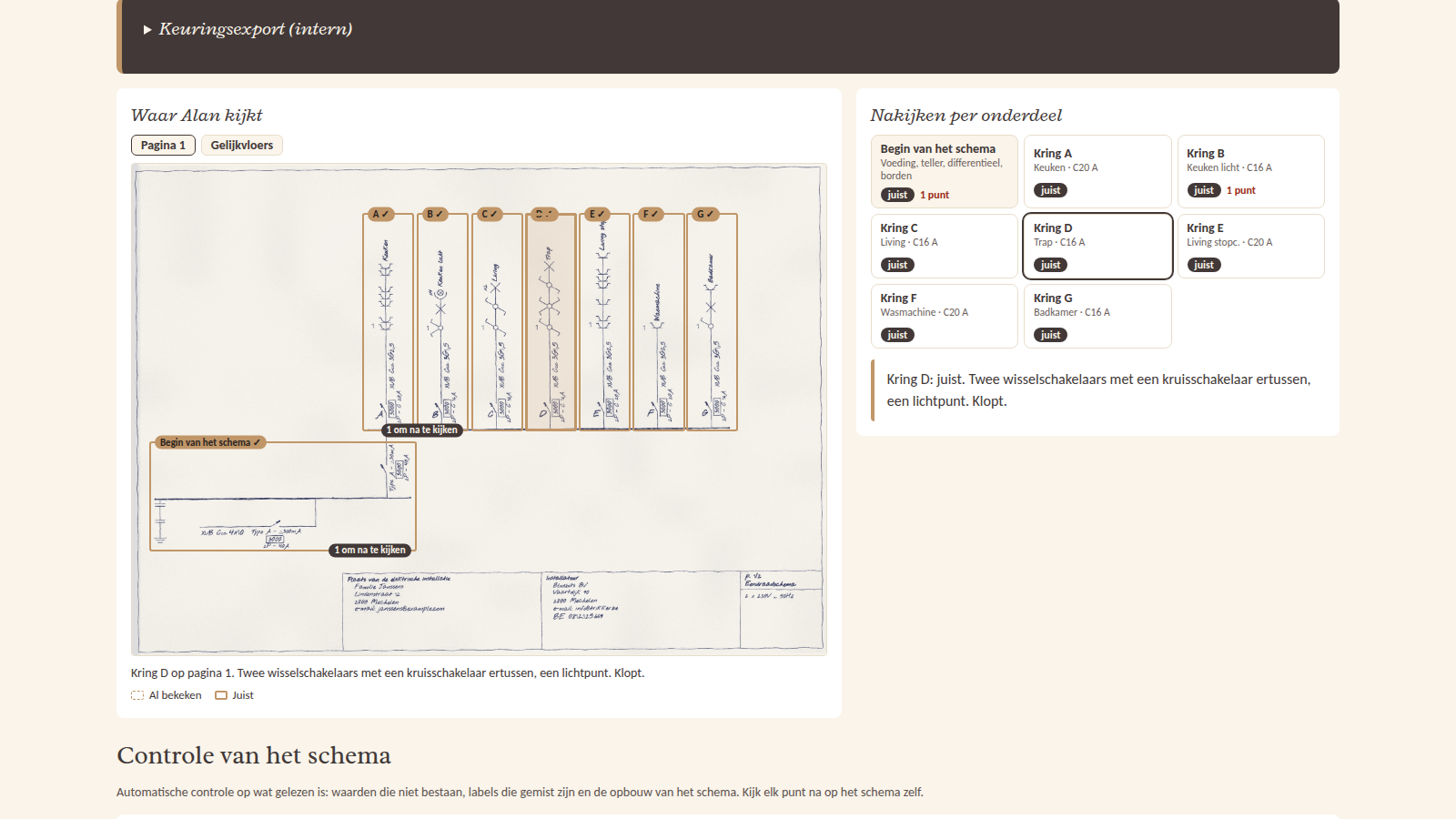
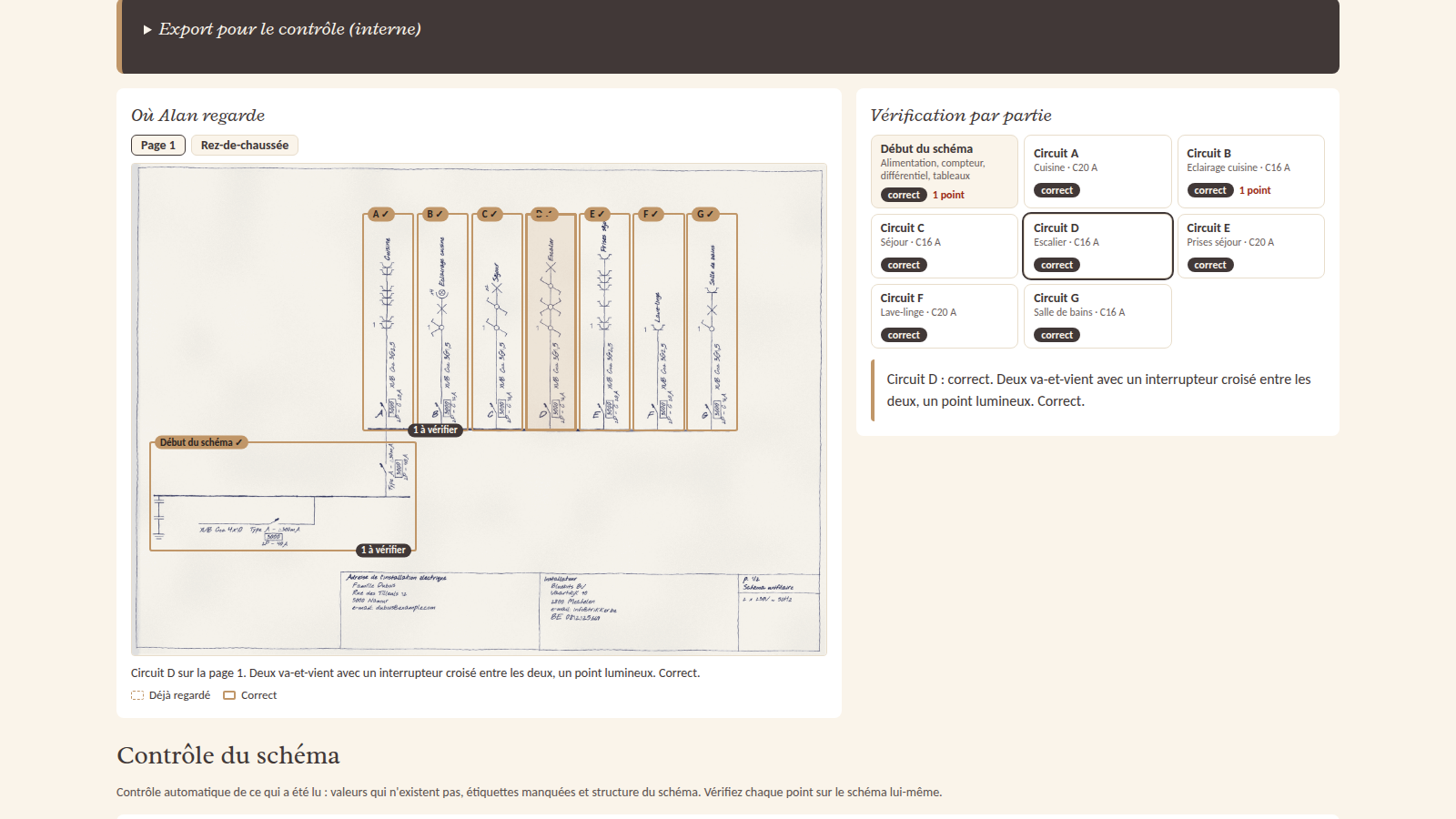
A tour of everything it can do
Want to see everything? In this tour of a few minutes, the Schema reader reads in a fictional house that was hand-drawn and scanned: from uploading to the Trikker diagram, with the diagram building up, the checking, the checks and the floor plan.
The tour, without sound and with captions.
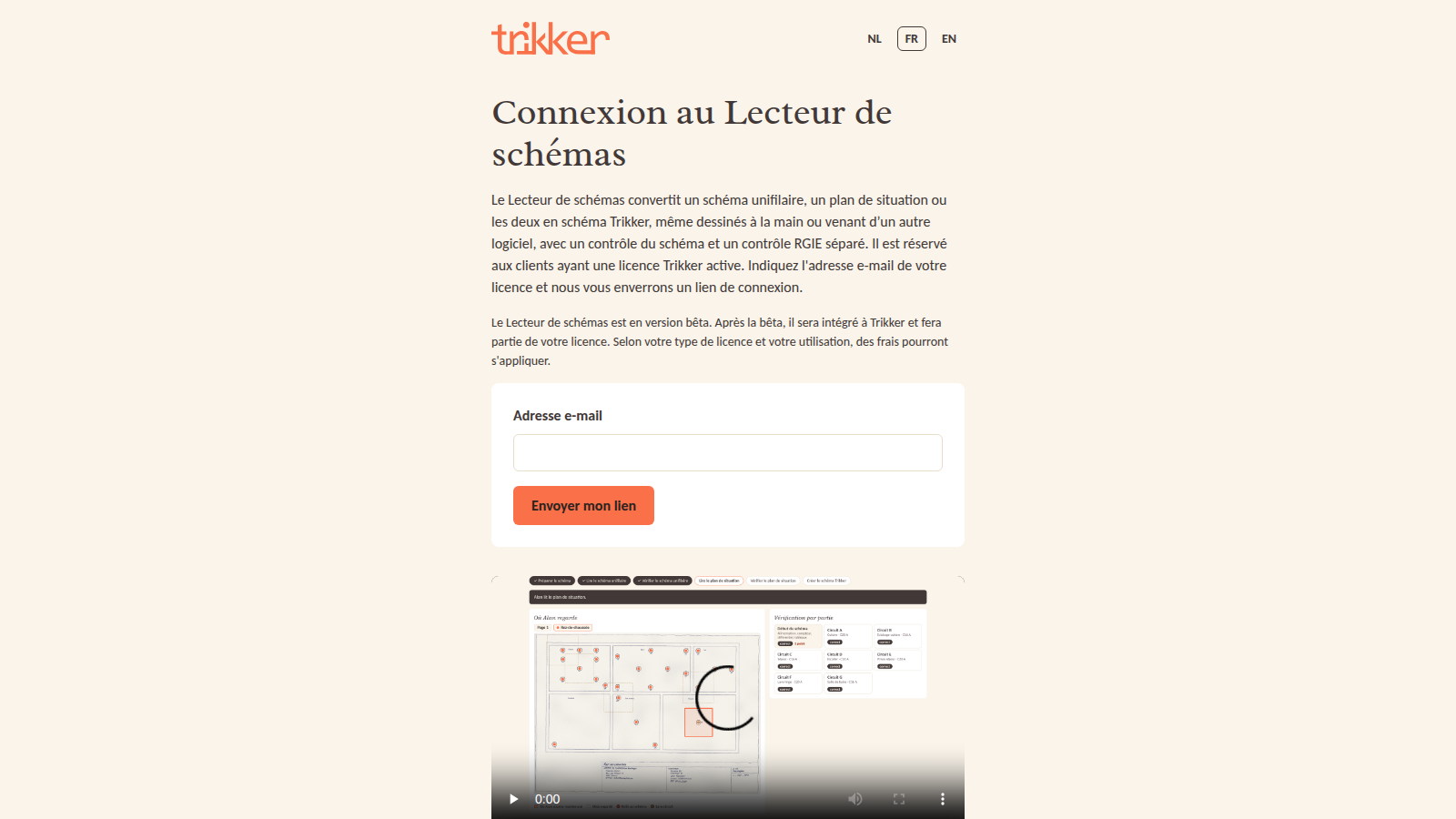
Logging in with your email address
The Schema reader is available for customers with an active Trikker license. You do not need a password: you enter the email address your license is registered to, and you receive a login link in your mailbox.

A beta: what does that mean?
The Schema reader is still a beta, so always check the result in Trikker. After the beta it will be built into Trikker and become part of your license. Depending on your license type and how much you use it, a fee may apply. We keep your diagram and the result for 180 days; anonymized pieces of checked diagrams (without names or addresses) we keep for 3 years to improve Alan.
Is something not right, or do you have an idea or a question? Let us know on the forum.